Varify Tracking Setup
In short
To know which variation wins, you need to evaluate your experiments. Varify gives you two ways to do that:
- Varify Realtime Tracking: Varify measures your experiments itself and shows unsampled results in real time.
- Google Analytics 4 (GA4), with or without BigQuery: Your experiment data is collected in your own analytics setup. Varify imports it and displays the results. Your data stays the source of truth.
You choose one of the two in „Tracking Setup“. The reports show the data of the provider you select.
Accounts created on or after September 17, 2026, can select „Varify Realtime Tracking“ directly in „Tracking Setup.“ Existing customers can request it via our contact form.
Step-by-Step Tutorial
Auto-Setup with the Tracking Setup Wizard
Open Tracking Setup
Click „Tracking Setup“ in the main navigation on the left. The page shows both options side by side. The tab „Advanced Setup“ next to it contains optional settings that apply to both options.
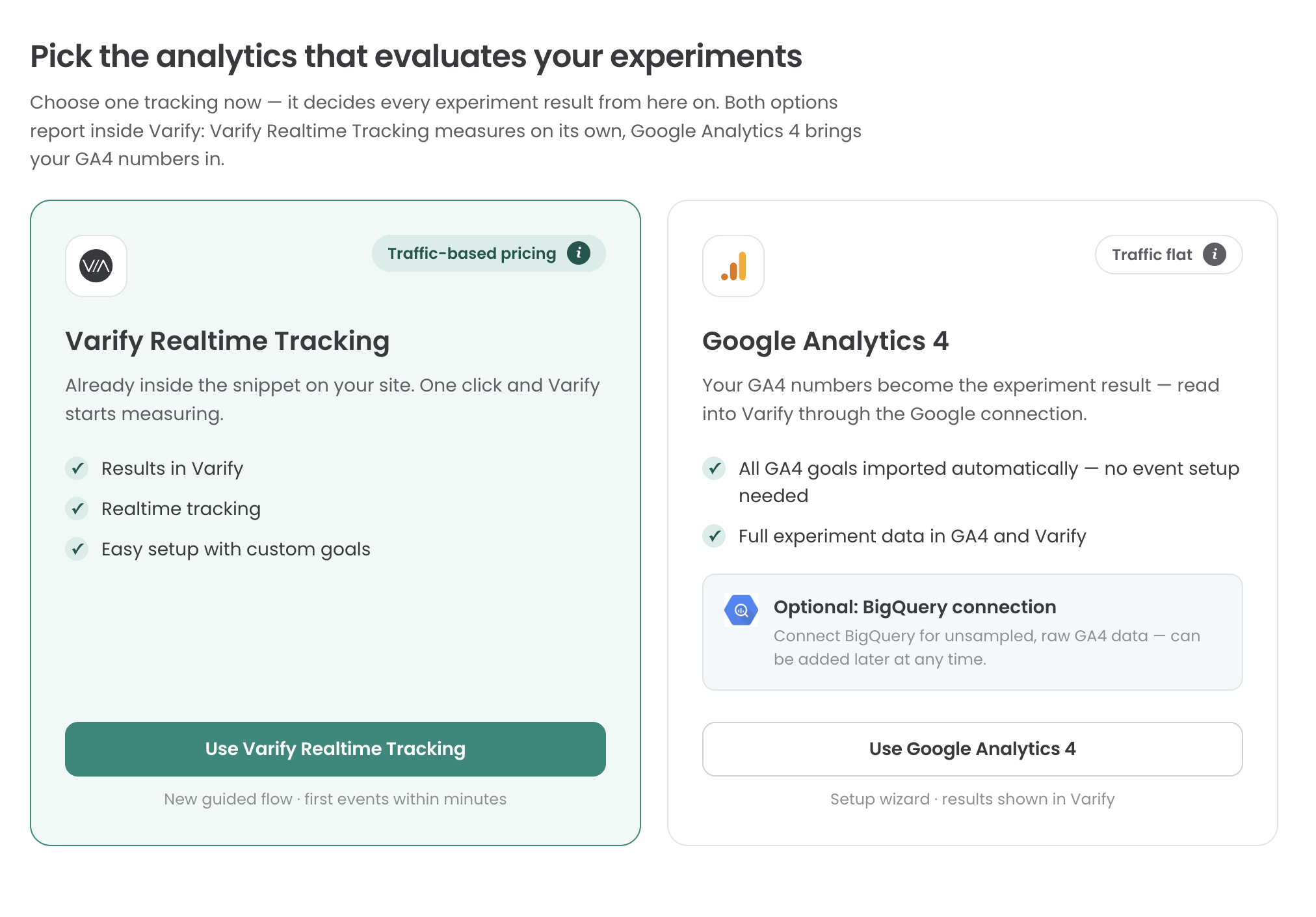
Which option should I use?
Use Varify Realtime Tracking if …
- you want to see results in real time.
- you want unsampled data without any additional setup.
- you don't fully trust your GA4 data.
- you don't use GA4 at all.
Use Google Analytics 4 (with or without BigQuery) if …
- you want your own analytics data to be the source of truth for your results.
- you already work with GA4 and want to evaluate experiments with the same numbers as the rest of your reporting.
- you need unsampled raw data from your own analytics setup. In that case, connect BigQuery in addition. It's an optional add-on to GA4 and gives you the raw GA4 data.
Using another analytics tool?
Matomo, etracker and Piwik Pro can no longer be selected as a tracking provider. You connect them under „Integrations“:
Compare the options
| Varify Realtime Tracking | Google Analytics 4 (with or without BigQuery) | |
|---|---|---|
| How it works | Varify measures on its own, using the Varify snippet already on your site | Varify imports your GA4 data through the Google connection |
| Source of truth | Varify | Your GA4 data |
| Where results appear | In Varify | In GA4 and in Varify |
| Data | Unsampled, in real time | May be sampled by GA4. Raw data with a BigQuery connection |
| Goals | Easy setup with custom goals | All GA4 goals are imported automatically, no event setup needed |
| Pricing basis | Traffic-based pricing | Traffic flat |
Using both: Varify Realtime Tracking as an integration
If GA4 is your tracking provider, you can switch on Varify Realtime Tracking additionally under „Integrations.“ The reports then show Varify goals and GA4 goals together. This option is currently offered to existing customers on request. Details: Varify Realtime Tracking.
Switching the tracking provider
You can switch the provider in „Tracking Setup“ at any time.
We don't recommend switching while experiments are running, because it can lead to data loss.
Advanced settings
The settings in „Advanced Setup“ apply to both options, for example how visitors are assigned to variations. You can find all settings here: Advanced Settings