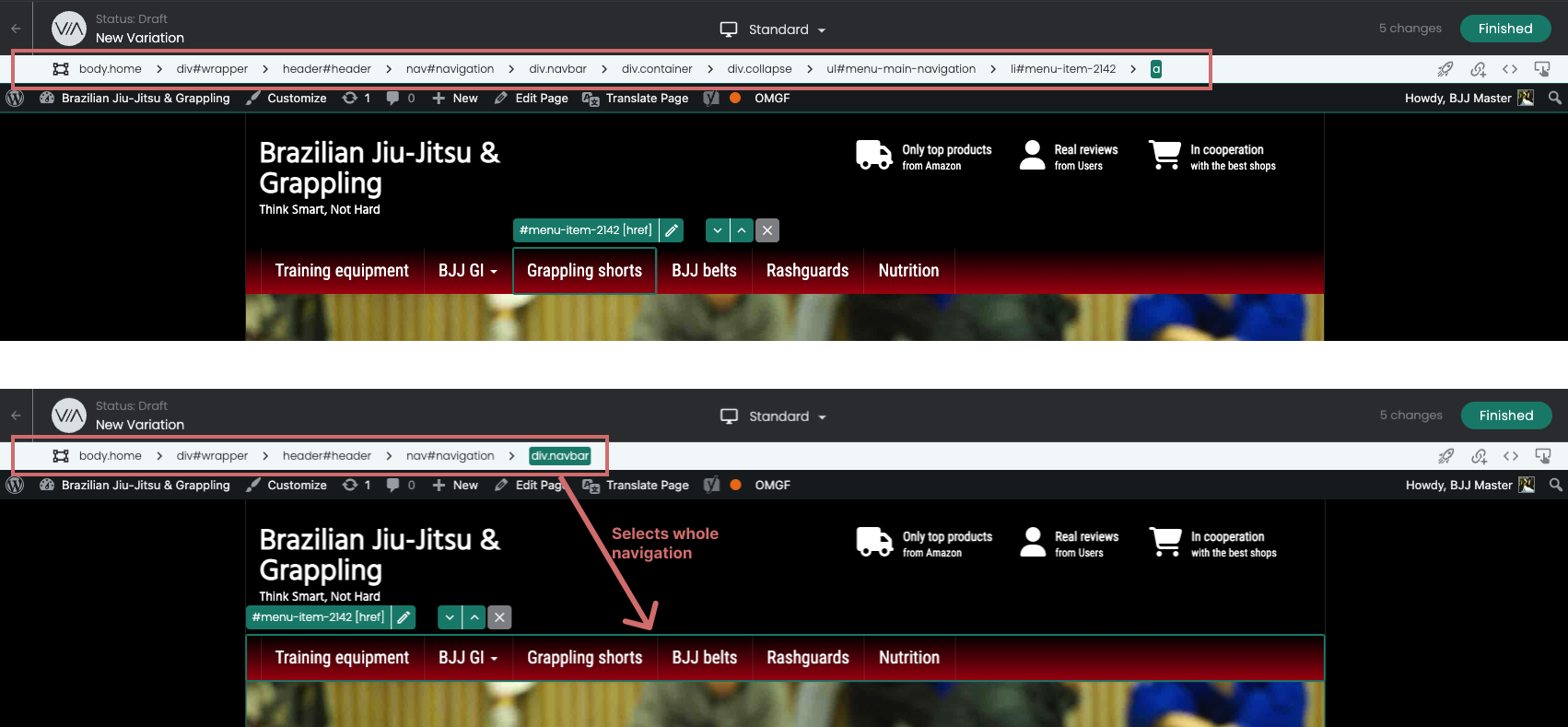
Breadcrumb Selector
Select a parent element you cannot reach with the mouse: the breadcrumb shows every level above the element you clicked.
In short
You can use the breadcrumb selector to select elements on your page in the editor that you may not be able to reach directly with the mouse. If you click on an element, the breadcrumb shows you all parent elements, which you can then select there.
How to use the function
You can use the breadcrumb selector to select an element or a higher-level container for editing.
As soon as you click on an element, the breadcrumb navigation appears at the top of the screen. This shows all higher-level containers in which the clicked element is located.
You can then select and click on the desired parent element directly via this navigation.
For example, in this case, the entire navigation should be selected. However, only the link of the clicked menu item is selected.
By using the breadcrumb selector, the element "div.navbar" can be clicked, which now selects the entire navigation.