Experiment or variant cannot be saved
You can edit but not save a variant — usually a wrong account ID or a snippet that is not correctly implemented.
How to recognize the error
You can make changes with the visual editor, but you can't save variations? Then it could be because the Varify.io script has not been implemented correctly.
How to fix the error
Possibility 1: Incorrect account ID in the snippet
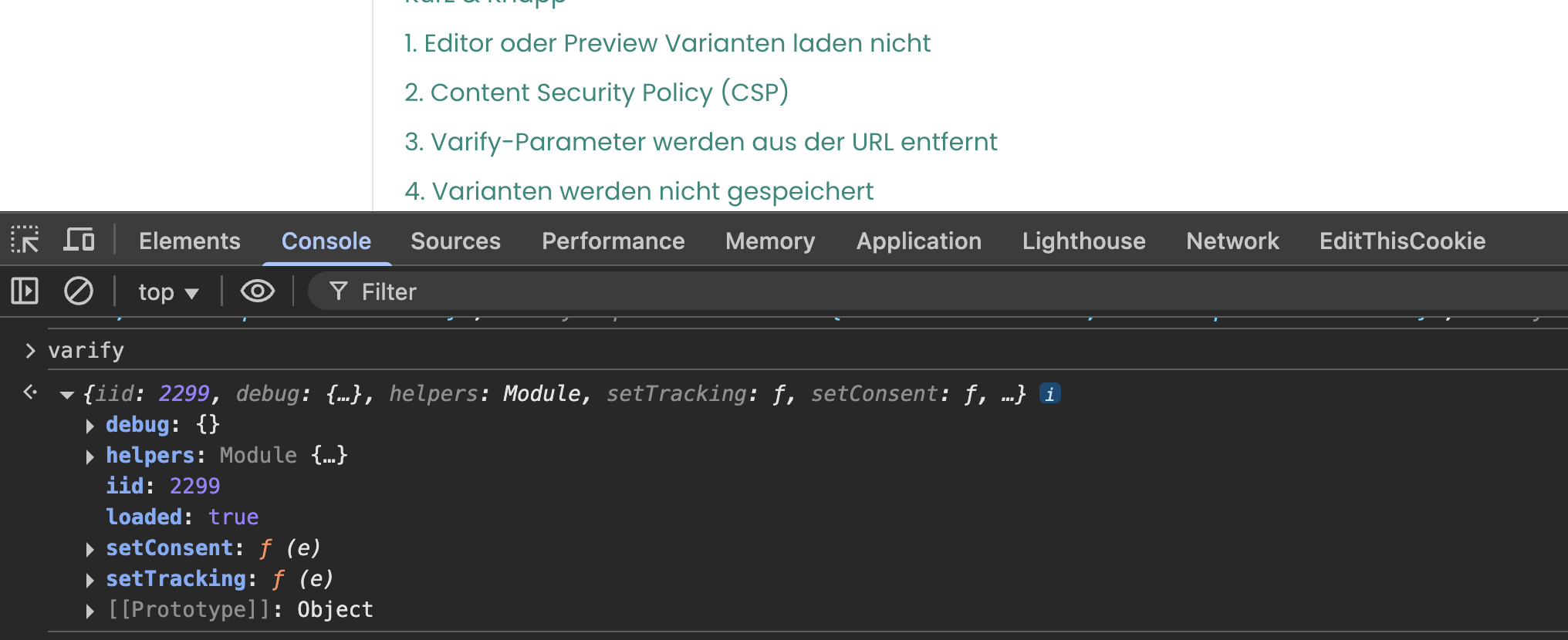
The easiest way to check whether the snippet has been implemented with the correct account ID is to open the browser console:
- Click with the right mouse button on an empty area of your web page
- Select "Inspect" or "Inspect element".
- Select the "Console" tab, enter the text varify and press the Enter key.
If you see your account ID in the "iid" field and the value "loaded: true" is displayed, the script has been implemented correctly.
If you see a different account ID than in your dashboard, you should adjust the integrated sinppet accordingly.
Snippet rendered incorrectly
Some tools, such as user consent tools, can integrate the snippet in a modified form.
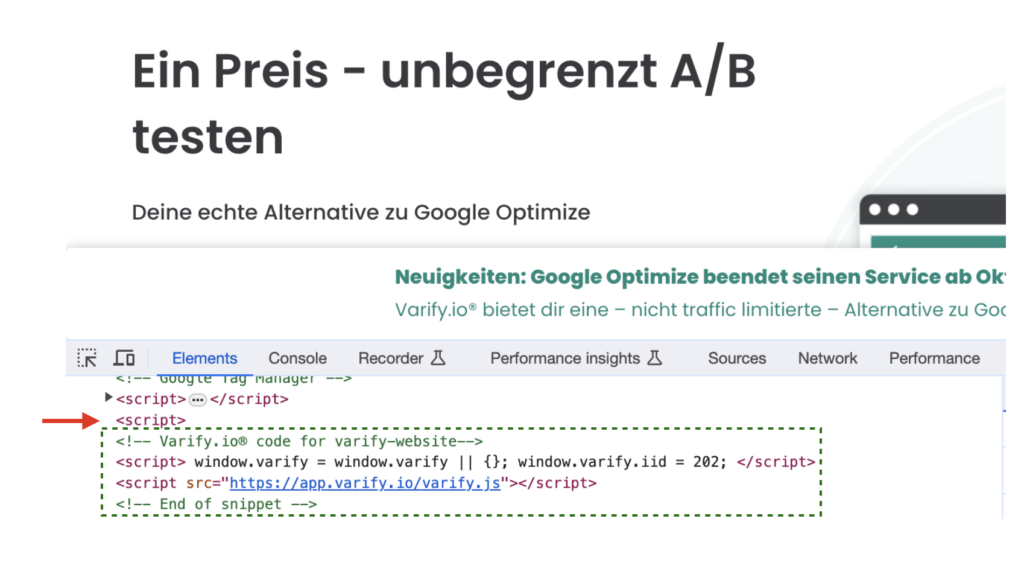
We recommend inserting the snippet into the code of your website exactly as it is provided by Varify.
In the following example, you can see a common error: There is an additional open script tag before the integrated Varify.io script. This means that the Varify.io script cannot be loaded correctly.